


How did Outlook and Teams integration cut the first response to customer inquiries from 24 hours to 10 minutes, and what did it cost?
By building a system in which Power Automate automatically detects customer emails arriving in Microsoft Outlook, and AI drafts a reply by referring to past response history and product manuals and notifies Teams, the client cut the average time to first response from 24 hours to 10 minutes. Existing Microsoft 365 licenses were used, and development took 1.5 months. With a team of 1 bilingual PM and 2 engineers, main development took about 3 person-months; the reference price for an equivalent configuration is from ¥1 million for the paid PoC and from ¥3 million for the full build (both excl. tax).
Before and after
| Item | Before (manual sorting and replies written from scratch) | After (Seirai M365 automated integration) | Impact |
|---|---|---|---|
| First response time to customers | 24 hours on average (next-business-day replies had become the norm) | 10 minutes on average (sent after checking the draft and making minor edits) | Response 99% faster |
| Email sorting and research effort | About 18 minutes per email (finding the right department, searching past emails) | About 2 minutes per email (automatic categorization with sources shown) | Support effort cut by about 110 hours a month |
| inquiries in English and from overseas distributors | Concentrated on, and held up with, the one person able to handle English | A Japanese summary and an English draft reply generated automatically | Bilingual support no longer depends on one person |
| Additional monthly SaaS cost | A major CRM would mean license fees of several million yen a year | Kept to a minimum by using the existing Microsoft 365 platform | Running costs greatly reduced |
Challenges before the project
The client's Customer Support Department received about 120 technical questions and delivery-date inquiries by email every day from domestic customers and overseas distributors, and the following issues were lowering customer satisfaction.
Manual sorting in a shared inbox had reached its limit
Until an email was read, nobody knew whether it was a sales lead, a technical problem or a billing question, and simply forwarding it to the right department often took half a day.
Finding past answers and manuals depended on individuals
Many specifications were known only to veteran staff, and new hires and other members spent more than 15 minutes per email digging through past email history.
English inquiries piling up, and anxiety over choosing a vendor
Replies to English emails from overseas offices were concentrated on one person, and the client could not find a development partner that understood the business nuances of both Japanese and English and could build on a short schedule.
How we solved it: approach and architecture
Rather than signing a new contract for expensive external helpdesk SaaS, we built an automatic triage and draft-reply pipeline that runs entirely within the Microsoft 365 environment the client already had.
Outlook receipt trigger with automatic categorization
Power Automate detects an email arriving at the main address at once, automatically judges urgency, product category and responsible department, and posts a card to the relevant Teams channel.
Automatic draft replies that refer to past FAQs and product specifications on SharePoint
The AI quotes the relevant part of the manual as its source and generates draft replies in Japanese and English in the Outlook Drafts folder. To prevent mis-sent emails, the design always has a person make the final check before sending.
Hands-on support and rapid tuning by a bilingual PM
A Seirai PM fluent in both Japanese and English joined the support team's regular meetings directly and improved the prompts and classification rules every 2 weeks while watching the actual exchanges.
Workflow and system: before and after
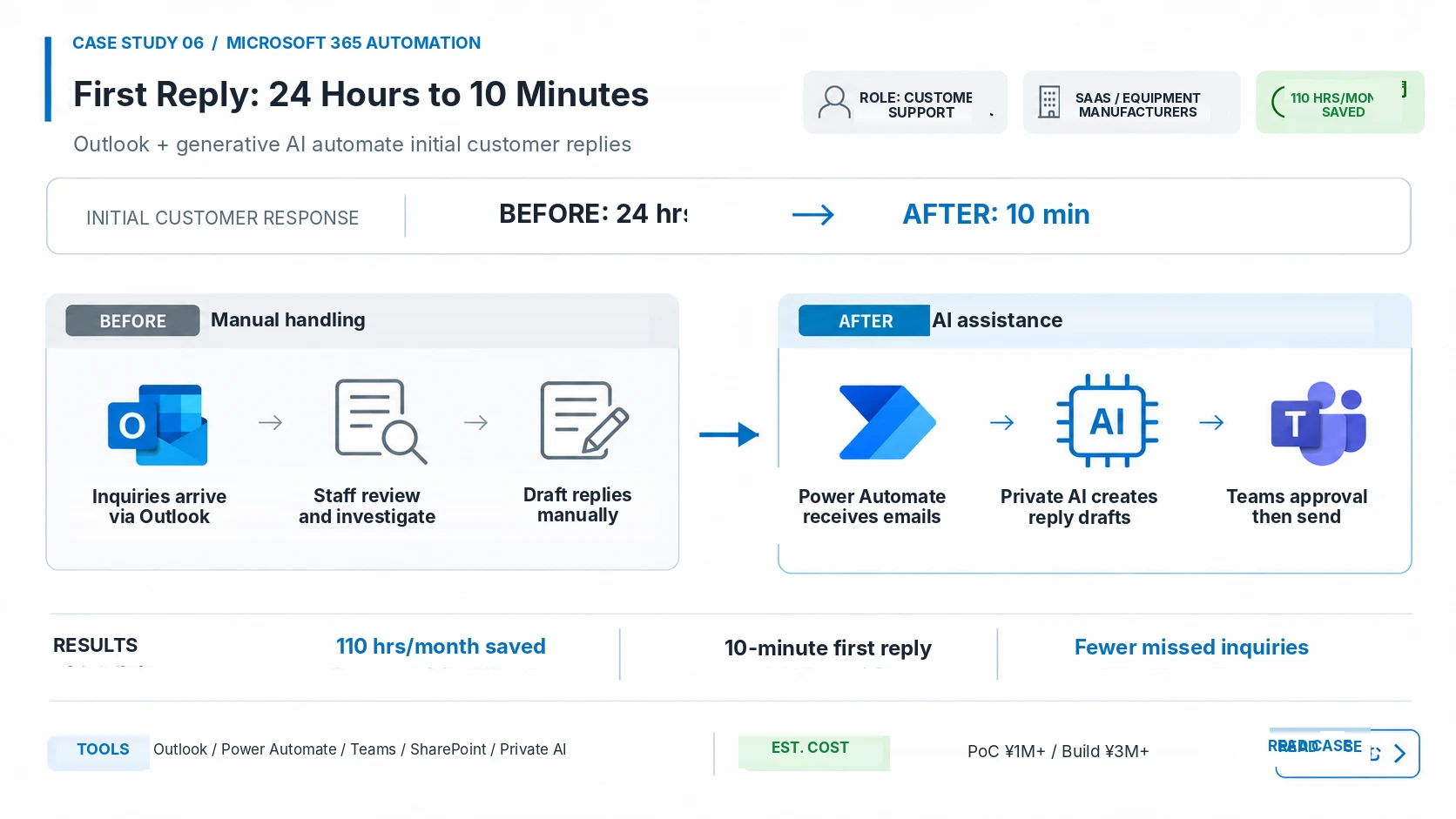
Results after the project
First response speed improved dramatically from 24 hours to 10 minutes
Comments from customers and distributors that replies had become faster rose sharply, and the rate of additional orders arising from inquiries also improved.
Japanese–English bilingual support no longer depends on one person
A Japanese summary and a polite English reply draft are generated automatically for English emails too, so staff who are not confident in English can now complete the first response.
Voice from the field: “The burden of writing from scratch is gone; we now only need to add the kind of consideration that comes from knowing the front line to the draft the AI wrote. It was also reassuring that Seirai's PM replied on chat straight away.” (Head of the Customer Support Department)
System stack and environment
| Layer | Technology and configuration |
|---|---|
| Email receipt and drafting | Microsoft Outlook (Graph API / shared mailbox integration) |
| Workflow automation | Microsoft Power Automate (classification, notification, escalation) |
| Internal notification and approval | Microsoft Teams (instant sharing with Adaptive Cards) |
| Knowledge storage | Microsoft SharePoint (central management of product manuals and past-response FAQs) |
| AI classification and draft replies | LLM in a closed environment (opt-out from data training; Japanese–English bilingual) |
| Authentication and governance | Microsoft Entra ID (operated safely with existing internal permissions) |

Product names and logos shown are trademarks or registered trademarks of their respective owners.
Frequently asked questions
QIs there a risk of the AI sending a wrong email to a customer on its own?
No. In this configuration the AI goes only as far as creating a draft in Outlook and notifying Teams; we use a human-in-the-loop design in which a member of staff always checks the reply and presses the final send button.
QWill it run on the Microsoft 365 plan we already have?
In many cases it can be run with existing Microsoft 365 licenses plus a small amount of API usage fees. In the pre-implementation interview we check your current license structure and propose the configuration with the lowest additional cost.
QCan it handle languages other than Japanese and English, or check attachments (PDF drawings, error screenshots)?
Yes. It can be extended to multilingual support and to summarizing the content of attached PDFs and extracting abnormal values.